Knight Cat AI Video Prompts: A Structure That Works
 Knight Cat AI Team
Knight cat AI video prompts need five ordered slots: subject, wardrobe, one action, camera and lighting. Structure first, adjectives last, one shot each.
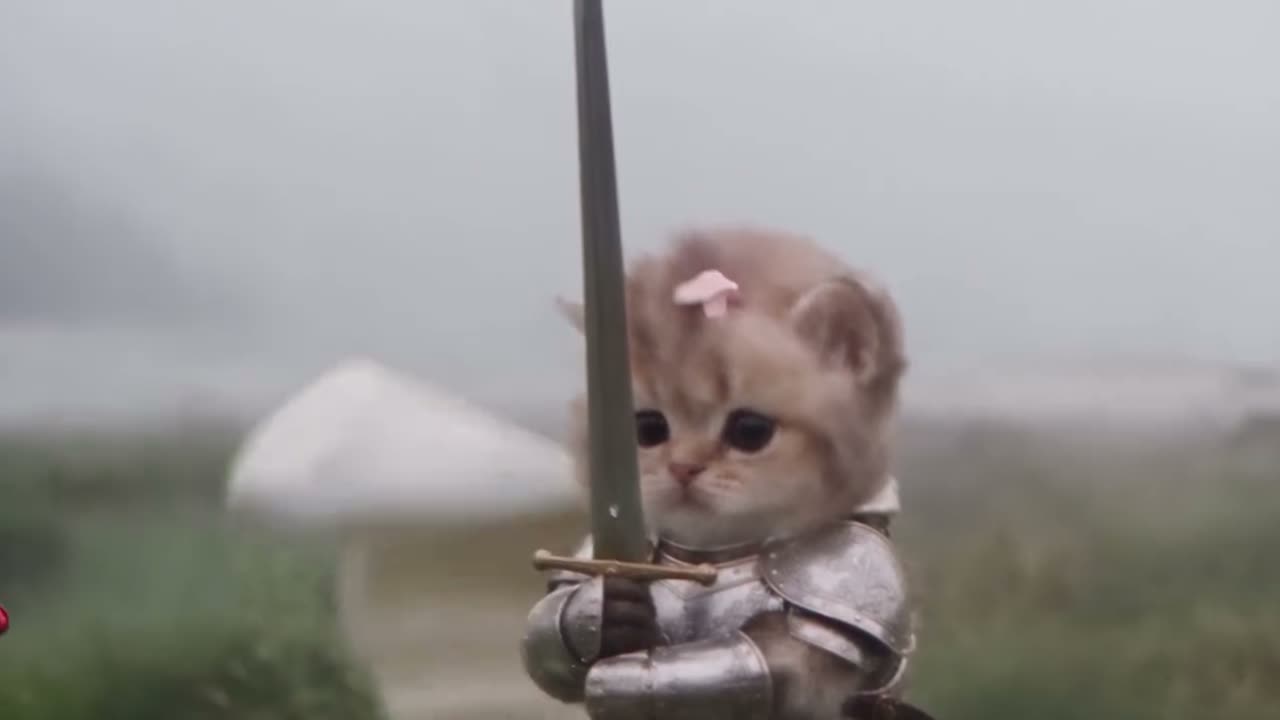
A good knight cat AI video prompt fills five slots in a fixed order: subject, wardrobe, one action, camera, lighting. Everything else you might want to add is decoration, and decoration is the part that makes a ten-second render smear. This guide covers the two prompt paths the studio supports, the fragment patterns that hold up, the camera vocabulary that actually changes output, and the three failure modes that account for most bad renders.
The two prompt paths
The studio accepts either a reference photo or a text description, and the prompt you write behaves differently depending on which one you give it.
If you upload a photo, your text prompt does not need to describe the cat. The photo already pins the fur pattern, face shape, ear position and markings through identity anchoring, which is the mechanism that keeps your pet recognizable while the model swaps wardrobe and setting. Your words should instead describe the scene the cat is dropped into: what it wears, what it does, where the camera sits, and how the light falls.
If you give no photo, the prompt has to carry the subject too. That means naming the breed silhouette, the coat color and pattern, and the body pose you want the model to start from. Text-to-video is more flexible because nothing constrains the composition, and less forgiving because nothing anchors identity either. A prompt with no photo and no coat description produces a generic armored cat that resembles your pet only by species.
Start on the knight cat AI video generator if you want to see both inputs side by side before writing anything.
The five-slot prompt structure
Write your prompt as five short phrases in this order. The order matters less than the discipline of filling each slot once.
- Subject — who is on screen. With a reference photo, this is a single word like "the cat in the reference". Without one, give coat color, pattern, and build: "a small grey tabby with white socks and a clipped left ear".
- Wardrobe — one layer of armor and one carried item, no more. "Brushed steel chestplate, chainmail collar, a shortsword held in the right paw" is complete. Adding a cape, a helmet, a shield and a banner gives the model five objects to resolve in ten seconds and it will drop or merge some.
- One action — a single dominant motion for the whole clip. "Steps forward onto a stone step" is a shot. "Steps forward, looks up, then raises the sword" is three shots compressed into one, and the result is a smear.
- Camera — how the frame moves. "Locked-off medium shot" or "slow dolly in on the paws". One camera instruction per prompt.
- Lighting — time of day and direction. "Low dusk light from the left, warm rim on the armor edge" beats "cinematic lighting", which tells the model nothing it can act on.
A prompt built this way reads like a shot list rather than a wish. That is the point: Seedance 2.0 renders what it can resolve frame by frame, and each slot you fill reduces the number of decisions it has to guess at.
This clip: 30 credits · 6 clips a month for $39.90 (Pro), or 80 a year for $319
Strong fragments against weak ones
The difference between a usable prompt and a wasted generation is usually one or two word choices. The table below pairs fragments that resolve cleanly with fragments that do not.
| Slot | Weak fragment | Strong fragment | | -------- | -------------- | -------------------------------------------- | | Subject | a cute cat | grey tabby, white socks, clipped left ear | | Wardrobe | medieval armor | brushed steel chestplate, chainmail collar | | Action | being heroic | plants one front paw forward and holds still | | Camera | cinematic | locked-off medium shot, eye level | | Lighting | dramatic light | dusk side light from the left, warm rim | | Setting | castle stuff | wet flagstones in a lantern-lit courtyard | | Scale | tiny and epic | knee-high to the knight standing behind it |
Two patterns explain almost every weak fragment. The first is abstraction: "heroic", "epic", "cinematic" describe a feeling, and the model has no pixels for a feeling. The second is scope creep: a single fragment that asks for a wardrobe change, an expression change and a location change at once.
Notice the scale row. Ambiguous scale is the quietest failure in this whole format, because the cat looks fine and the world looks wrong. Say "knee-high to the knight behind it" rather than "tiny", and the courtyard, the doorframes and the other figures all resolve to the right size. The tiny knight and giant protector preset is built entirely around that relationship, so it is the fastest way to see scale language working.
Camera language that changes output
Camera instructions are a real parameter in the render, not flavor text. Two families cover most of what you need.
Locked-off shots keep the frame still while the subject moves. A locked-off shot is the most stable option, because the model only has to animate one moving thing: your cat. Pans and pushes mean the background also has to be reinvented every frame, and background reinvention is where warping and texture crawl appear. If a render keeps falling apart, remove the camera move before you rewrite anything else.
Dolly and push-in move the camera toward or away from the subject. A slow push-in reads as intent and works well for a cat standing still, because the motion is carried by the frame rather than the animal. Keep the move single and slow: "slow dolly in" is stable, "dolly in then crane up" is two moves and the second one usually eats the first.
For either family, name the framing and the height. "Medium shot at eye level" and "low wide shot from the floor" produce visibly different compositions, and both are more useful than "close-up" alone. A low angle makes the cat read larger, which is useful when the joke depends on the animal being underestimated. An eye-level medium shot keeps the armor silhouette legible, which is usually what you want when the wardrobe is the point.
Why one action per shot matters
A ten-second clip has enough room for one convincing motion. When a prompt asks for two or three separate actions, the model distributes a fixed amount of animation across them and each one gets less. The visible result is a smear: limbs that move halfway, a turn that never completes, a raised sword that turns into a blur of steel.
There is a second reason, and it has to do with hidden geometry. Extra limbs appear when the prompt implies a body pose the reference photo does not show. If your photo is a sitting cat and the prompt asks for "standing on hind legs and swinging a sword", the model has to invent the belly, the extended hind legs and the paw position from nothing, and it often invents one limb too many or puts a leg where a tail should be. A reference pose that is close to the action you want, plus a single dominant motion, prevents most of it.
The practical rule: if you can describe the clip with "and then", split it into two generations. Two clips at thirty credits each give you two usable shots. One clip asking for both gives you a smear that costs the same and cannot be salvaged by re-rolling the text.
Six example prompts
Each example below fills the five slots and nothing more. The wording is deliberately plain, because plain wording leaves less room for the model to interpret.
- Courtyard march (with photo). The cat in the reference, brushed steel chestplate and chainmail collar, plants one front paw forward on wet flagstones and holds, locked-off medium shot at eye level, dusk side light from the left with a warm rim on the armor.
- Guard duty (with photo). The cat in the reference, dented iron helm and a shortsword held low, sits still while rain falls past the frame, locked-off wide shot from floor height, cold overcast light with a single lantern to the right.
- Giant protector (with photo). The cat in the reference, no armor except a leather collar, looks up and holds the gaze, slow dolly in to a medium shot, dusk backlight and long shadows on stone.
- Castle gate (with photo). The cat in the reference, chainmail collar and a small banner strapped to its back, walks two steps toward the gate and stops, locked-off medium shot at eye level, torchlight from the right against blue evening air.
- Text-to-video, knight cat by a hearth. A small black cat with a white chest patch, steel chestplate and chainmail collar, curls tighter around a bowl and settles, locked-off close shot at floor level, warm firelight from the left with deep shadow behind.
- Text-to-video, night watch. A stocky ginger tabby, polished steel plate and a shortsword resting on the ground, lifts its head once and holds, slow dolly in from a wide shot, cold moonlight through a narrow window with lantern fill on the right.
Numbers 1 through 4 assume a reference photo, so the subject slot collapses to a single phrase and the model does the identity anchoring from the image. Numbers 5 and 6 carry the coat description because there is no photo to pin it.
Common mistakes
Two actions in one shot. Covered above, and still the single most common cause of a smear. Split the clip.
Vague wardrobe. "Armor" is not a wardrobe. Name the material and the piece. "Brushed steel chestplate" and "dented iron helm" resolve to different pixels, and the model will not choose for you.
Ambiguous scale. "Tiny" and "epic" describe your feeling about the cat, not its size in the scene. Give a comparison: "knee-high to the knight behind it", "smaller than the shield leaning on the wall".
Adjective stacking. Four adjectives in front of one noun divide the model's attention across all four. Pick the one that matters and spend your remaining words on the action.
Changing the camera mid-prompt. One camera instruction per generation. A prompt that asks for locked-off framing and a dolly at once produces neither.
If you want the shorter checklist version of this material, the how to make a knight cat AI video walkthrough covers the upload and preset flow around these prompts, and the home page shows the four presets that most prompts end up describing.
Prompt cost and iteration
Prompt writing is cheap relative to rendering, which is why iterating on the text is the right first move. The default delivery spec is Standard 1080p at twelve seconds for thirty credits, and the Standard 720p twelve-second option on the pricing cards is ten credits. 480p twelve-second renders cost five credits, and longer clips scale linearly and round up.
That matters for a simple reason: if a render fails, the credits are refunded, but a render that succeeds and looks wrong is not. Five credits at 480p is the cheapest way to test whether an action reads before you commit to a 1080p take. Write the prompt, render it at the lowest resolution that still shows the motion, and only then spend the higher tier. You can see the current tiers on the pricing page.
New accounts get thirty credits once through Google sign-in. Email sign-up starts at zero until the daily check-in is claimed, which grants ten, then twenty, then thirty, then ten per day four more times. Renders stay private to your account, nothing is published to a public feed, and no render carries a watermark.
FAQ
How long should a prompt be? Two to four sentences is enough. Five slots, one clause each. Longer prompts divide attention across more objects and usually produce a softer result, not a richer one.
Does the prompt override my reference photo? No, and it should not try. The photo pins identity and the prompt describes the scene around it. If you want a different cat, upload a different photo rather than describing a different coat in text.
Why does my cat grow extra limbs? The prompt is asking for a body pose the photo does not show. Match the reference pose to the action, keep one dominant motion, and the model stops guessing at hidden geometry.
Should I write my prompt as keywords or sentences? Sentences with clear slots. Keyword lists work as a fallback, but sentences carry the relationships between subject, action and camera, and those relationships are what the model animates.
What camera setting should I use first? Locked-off. It is the most stable option, and once that renders cleanly you can add a slow dolly in as the only change.
Can I reuse one prompt for all four presets? No. The storm-swept moor, tiny cat with a giant knight, castle gate at dusk and guardian of the milk presets each set the setting and scale, so your prompt should supply wardrobe, action, camera and lighting on top of that rather than restating the scene.