Best AI Video Generator for Pets: Evaluation Criteria
 Knight Cat AI Team
Evaluate the best AI video generator for pets on clear identity retention, motion stability, aspect ratio, watermarking, privacy and credit predictability.
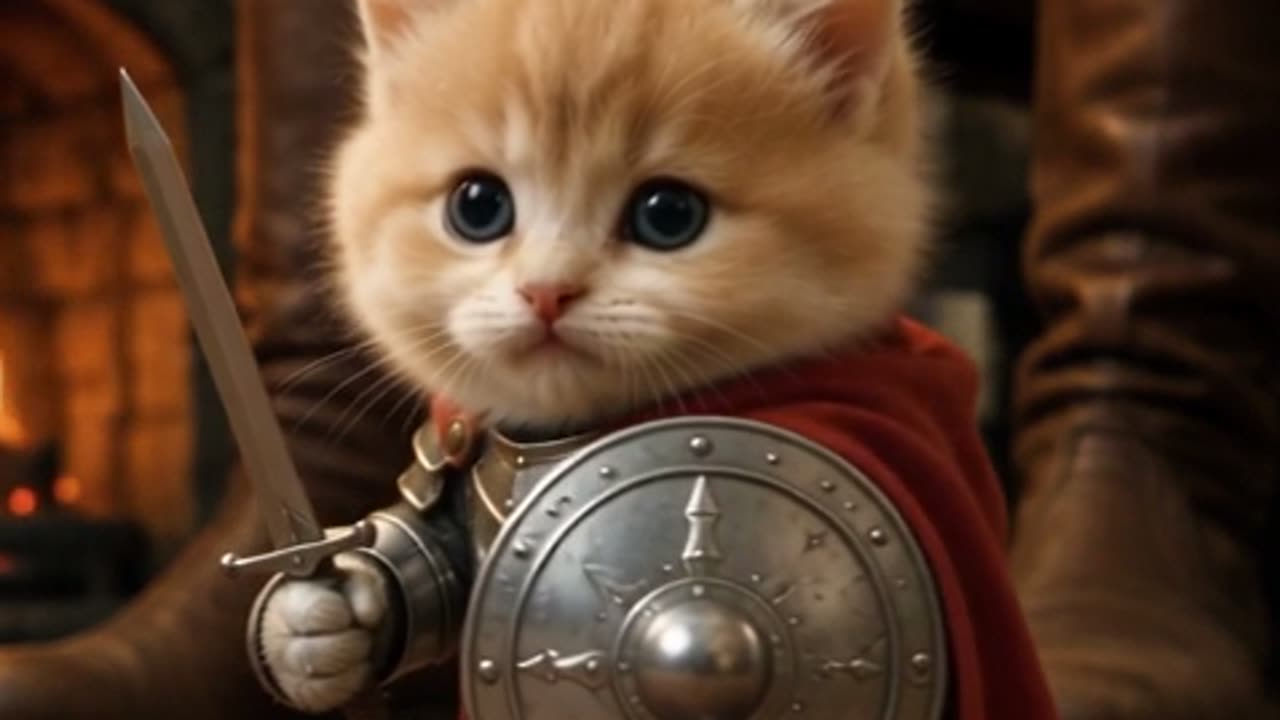
The best AI video generator for pets is the one that keeps your animal recognizable while it changes the wardrobe, the setting and the lighting, not the one with the longest feature list. For pet clips in particular, six properties decide whether the output is usable: identity retention, single-action motion stability, aspect ratio, watermarking, privacy, and whether you can predict what a batch of attempts will cost before you spend anything. This page sets out those criteria in the abstract, explains why most pet renders break, and then measures Knight Cat AI against the same list using nothing but its published specifications.
What a pet clip actually asks of a model
A pet video is a harder problem than a landscape or a product turntable, and it is worth being explicit about why. A landscape can hallucinate freely and still look correct, because no one knows what that particular hillside was supposed to contain. A cat cannot. Your cat has a specific fur pattern, a specific face shape, specific markings around the eyes and ears, and those are the entire point of the clip. The model is therefore asked to hold one identity perfectly still while changing everything around it.
The second difficulty is anatomy. Animals have four limbs, a tail, and a silhouette that reads as wrong very quickly when a single joint lands in the wrong place. Human subjects benefit from decades of training data and a fairly rigid expectation of what a standing person looks like. A cat on a moor in armor has no such convention to lean on, so the model is inferring a body pose rather than reproducing one it has seen many times.
The third is delivery. Pet clips are usually made for a phone screen, which means a vertical frame, a short duration, and no tolerance for letterboxing or a stray logo burned into the corner. Those are boring requirements, and boring requirements are exactly where a generator either respects your time or wastes it.
The studio below is the fastest way to see how these three pressures play out on a real photo, and you can run it from this page without leaving the article.
This clip: 30 credits · 6 clips a month for $39.90 (Pro), or 80 a year for $319
The six criteria, and what to look for in each
Evaluate any pet generator against the table below before you buy credits. The middle column is what you check, and the right column is why it decides whether the clip is worth keeping.
| Criterion | What to look for | Why it decides the result | | --------------------- | ----------------------------------------------------------------------- | -------------------------------------------------------------------------------------- | | Identity retention | Whether the fur pattern, face shape and eye markings survive the render | A clip of a generic cat in armor is not a clip of your cat, so the whole premise fails | | Motion stability | Whether one action completes cleanly across the full duration | Two or three actions in one shot cause smearing or a dropped movement | | Anatomy consistency | Whether limbs, paws and tail stay plausible on every frame | Extra limbs and merged paws are the single most common visible defect | | Aspect ratio | Native vertical 9:16 output rather than a crop of a square | A cropped landscape frame loses the top of the helmet or the tail | | Watermarking | Whether the exported file carries a burned-in logo | A watermark either forces a re-render or rules the clip out for some channels | | Credit predictability | Whether the cost per attempt and the refund policy are stated up front | Pet renders need retries, so per-attempt cost matters more than a headline price |
You can apply this list to any tool, including ones that only do text-to-video. A generator that accepts a photo and holds identity well is strictly more capable for pet work than one that only takes a description, because a description cannot carry your cat's markings into the output.
Identity anchoring is the criterion most tools fumble
Identity anchoring is the mechanism that pins a specific subject to a generated sequence. Your reference photo is handed to the model as a conditioning signal, and the model is trained to preserve the subject's stable features, meaning fur pattern, face shape and markings, while treating the wardrobe, the environment and the lighting as free variables. When anchoring works, you get your animal in a new costume. When it fails, you get a plausible cat wearing armor that happens to belong to nobody.
Anchoring quality is largely a function of the input. A sharp, well-lit photo of the pet filling a good portion of the frame gives the model a lot of signal to hold on to. A soft, heavily compressed photo taken from across a room gives it very little, and the render drifts toward the average of the training distribution. This is why two people can run the same preset and get visibly different results: the preset is constant, the reference photo is not.
Tight and mid framing also help. In a wide composition the pet occupies fewer pixels, so the model has less detail on the face and body to align with, and identity softens as a result. If you want the markings preserved, frame the animal prominently, then let the scene supply the drama.
Pose hallucination and the extra limbs problem
Extra limbs appear when a prompt or a preset implies a body pose that your reference photo does not show. Ask for a cat standing on its hind legs when the photo shows a cat lying on a sofa, and the model has to invent the hidden geometry, the chest, the belly, the two legs you could not see. It guesses, and the guesses are where merged paws and duplicate legs come from. The same failure mode produces a tail that splits, or a fifth limb appearing from behind the torso during a fast camera move.
There are two reliable mitigations, and both are about reducing the amount of geometry the model has to invent. First, match the requested motion to the pose in the photo, so a seated cat stays seated and a walking cat keeps walking. Second, ask for one dominant action per shot rather than a sequence. A shot that requests a slow turn, then a step forward, then a head tilt will smear, drop, or compress those movements, because the model is allocating a short duration across too many beats.
Camera language is the third lever and it is a real parameter rather than decoration. A locked-off static shot gives the model fewer degrees of freedom, so the anatomy stays stable. A dolly or push-in is more cinematic and slightly more prone to drift, because the background parallax keeps changing the amount of the subject visible in frame. If a render comes back with a defect, remove a variable before you remove the pet.
Aspect ratio, watermarking and the destination
Vertical 9:16 is the shape that most short-form platforms expect, and it is not the same thing as a square frame that has been cropped at export time. Native vertical output composes for the tall frame, so the helmet sits in the upper third and the paws stay in shot. A crop of a wider render tends to cut the subject at the ankles or leave dead space at the top, and it also magnifies any defect that was already near the frame edge.
Watermarking is a separate question from quality but it is a purchase criterion all the same, because a burned-in logo changes what you can do with the file. Some tools add one on lower tiers and remove it on paid ones, which means the credit cost you were quoted is not the cost of the clip you actually wanted. Check before you commit, not after the render finishes. Our generator overview covers how this particular pipeline handles export.
Privacy: who else can see your pet clip
Generators differ in whether output lands in a public feed, a shared gallery, or stays inside your account. This matters more for pets than for products, because a photo of your cat is often a photo of your home. Look for an explicit statement that renders are private to the account, and read the retention language in the privacy policy rather than assuming it. A tool that quietly publishes renders to a public gallery is a different product from one that does not, even if the buttons look identical.
Credit predictability: the cost of a retry
Pet renders are iterative. You will usually run two or three attempts before the anatomy, the pose and the camera all agree. That makes the per-attempt price the real number you should be comparing, and it makes the refund policy for failed renders a first-class feature rather than a footnote. If a failed render still consumes credits, your effective cost per usable clip is higher than the advertised figure, sometimes by a wide margin.
| Output | Credits per render | | ----------------------------------------- | ------------------ | | 480p · 12s | 5 | | Standard · 720p · 12s | 10 | | Standard · 1080p · 12s (default delivery) | 30 |
Longer clips scale linearly from these numbers and round up, so a 24-second clip at 720p is simply double the 12-second cost. On Knight Cat AI, a new Google sign-in grants 30 credits once, and an email sign-up starts at zero until you click the daily check-in, which pays 10, then 20, then 30, then 10 on each of the next four days. Failed renders are refunded to the source balance, which is the policy that matters most if you plan to iterate.
How Knight Cat AI maps to the criteria
Knight Cat AI is a single-photo image-to-video tool built on the Seedance 2.0 model. You upload one photo of your cat or dog, choose one of four presets, and the model returns a roughly ten-second vertical 9:16 MP4 of that same pet as a tiny armored knight. Text-to-video is supported as well, so you can describe a scene without a photo, though you give up the identity anchoring that a reference image provides.
Against the criteria above: identity retention comes from the reference photo, so a clear, well-lit image of your pet in the frame is the main variable you control. Motion stability comes from the preset, and the four presets differ in how much motion they imply. Anatomy consistency comes from keeping one dominant action per shot, since the model is guessing less when the requested pose matches the photo. Aspect ratio is native vertical at 9:16. There is no watermark on any render. Renders are private to the account and are never published to a public feed.
The defaults are the numbers to remember: Standard · 1080p · 12s costs 30 credits, the Standard tier shown on the pricing page is Standard · 720p · 12s at 10 credits, and 480p at 12 seconds is 5 credits. If you are still deciding whether the trend is worth the credits at all, what the Knight Cat trend actually is explains where it came from and why the vertical short-form format suits it.
The presets themselves are the practical starting point, and all four run from the studio on the home page. "Storm-swept moor" gives you rain and a forward camera travel, which is the most demanding of the four on anatomy. "Tiny cat, giant knight" frames your pet small beside an oversized protector and is the hardest to keep stable, because a second large figure has to stay consistent across every frame. "Castle gate at dusk" uses locked-off framing and is the safest choice for a first render. "Guardian of the milk" places the cat in front of a bowl in sentinel posture, which pairs well with a photo where the animal is already sitting. For your first attempt, see how to turn your cat into a knight for a step-by-step walkthrough, then keep your camera language locked-off until you have a result you like.
FAQ
What is the single most important criterion for pet video?
Identity retention. If the output does not read as your specific animal, the clip has lost the reason you made it, and no amount of cinematic lighting compensates for that.
Why do pet renders come back with extra limbs?
The model guesses geometry that your reference photo does not show. Ask for a pose the photo already contains, and request one dominant action per shot, and most of those defects disappear.
Does a watermark matter if the clip is only for personal use?
It matters if you plan to post the clip. A burned-in logo changes what you can do with the file, so confirm the export carries no watermark before you spend credits on a batch.
How many attempts should I budget for?
Plan for two or three per clip while you learn how the presets behave. Per-attempt credit cost and the refund policy for failed renders together determine your true cost, which is why both belong on the comparison table.